For many people, a single USB-C charger now needs to handle more than one job: a phone at home, a tablet on the move, and perhaps a laptop at work. That makes 65W and 100W chargers common choices. The useful distinction is not simply which number is larger. It is whether the charger, port, cable and connected device can work together at the power you need.
A charger's wattage is its maximum capability under stated conditions; it is not power that the charger forces into every connected device. Compatible equipment negotiates a supported charging level. A phone that takes a lower rate can still use a suitable 65W or 100W charger, while a laptop may need more than a 65W charger can provide when it is under load.
Quick answer
Choose 65W when you mainly charge phones, tablets, or a thin-and-light laptop that accepts USB-C power in this range. Choose 100W when you have a higher-power USB-C laptop, regularly charge several devices together, or want more headroom from one charger. Actual results depend on the device, charging protocol, port used and cable.
Neither rating guarantees a particular charging speed. A 100W charger can be useful with a 65W laptop, but it will not make that laptop draw 100W if the laptop is designed for less. Likewise, a 65W charger can work well for a phone that accepts far less power.
What does 65W charging mean?
65W means the charger can deliver up to 65 watts in one of its supported operating modes. On a single-port USB-C charger, that may be the maximum available from its USB-C port. On a multi-port charger, 65W may instead describe the total budget shared across all ports. The label alone does not reveal the split.
For everyday use, 65W is often a practical all-round level. It provides more headroom than a typical phone or tablet needs and can suit many compact USB-C laptops. It is also commonly available in relatively small chargers. Check the exact product's single-port rating and its multi-port allocation table rather than assuming every USB-C port delivers 65W.
What does 100W charging mean?
A 100W charger can deliver up to 100 watts under supported conditions. That extra ceiling can matter for laptops that specify a higher-watt USB-C adapter, or for people who want one charger to supply a laptop and another device at the same time. It does not mean every port can provide 100W.
Its published power-sharing chart is especially important: a charger may offer 100W from one USB-C port alone but reserve less for that port after a phone or tablet is added. Buy according to those combinations, not only the large number on the charger.
65W vs 100W: Key differences
| Consideration | 65W charger | 100W charger |
|---|---|---|
| Maximum output | Up to 65W under its supported conditions. | Up to 100W under its supported conditions. |
| Typical use cases | Phones, tablets and many thin-and-light USB-C laptops. | Higher-power USB-C laptops, or a laptop plus other devices. |
| Laptop suitability | Can suit laptops designed for 45W, 60W or 65W USB-C input. | Offers more headroom where a laptop supports and benefits from it. |
| Multi-device flexibility | Can be enough, but the power budget can become tight when ports are shared. | Usually offers more total headroom; allocation still varies by model. |
| Cable considerations | A suitable USB-C cable is still required; 3A may be adequate for some setups. | Higher USB-C power often needs a suitable 5A, electronically marked cable. |
| Size and portability | Often smaller, though design and port count matter more than the rating alone. | Can be larger or heavier, especially with more ports; compare dimensions. |
| Who should consider it | Single-device users and owners of compatible lightweight laptops. | Users with a higher-power laptop or a regular multi-device desk setup. |
These are general buying considerations, not specifications for every charger. Confirm the exact model's port labels, supported protocols and power-distribution chart before ordering.
Is 65W enough for a phone?
For most phones, a 65W charger has more maximum capability than the phone will use. That is normally fine when the charger and phone share a compatible charging method. The phone negotiates its supported level; it is not automatically charged at 65W.
The important question is the phone's documented fast-charging standard. Some phones use USB Power Delivery, some benefit from PPS, and some have manufacturer-specific modes. A suitable USB-C cable is also part of the chain. If the phone and charger do not share the relevant mode, charging may fall back to a lower rate.
Is 65W enough for a laptop?
65W can be enough for many thin-and-light laptops that explicitly accept USB-C charging at that level or below. Check the supplied adapter or technical documentation, and confirm that the USB-C port accepts charging rather than only data or display output.
A laptop supplied with a higher-watt adapter may still charge from 65W in light use, but may charge slowly or use battery power during demanding work. Follow the device maker's recommendation when performance under load matters.
When does a 100W charger make sense?
A 100W charger makes sense when the laptop documentation calls for more than 65W through USB-C, or when you want a single adapter for a laptop and another device. It can also be a sensible choice if your current laptop needs less power but you expect a future laptop to need more.
The benefit is headroom, not an automatic speed increase. A 100W charger is unnecessary for a phone-only kit, and it may be more than a tablet-only setup needs. It is also not automatically the right answer for every laptop: the laptop's USB-C input limit and the charger's port allocation must both support the intended use.
Single-port output vs total charger output
Read ratings in two ways. Single-port output is the maximum a particular port may provide when it is used alone. Total charger output is the overall power budget available across all connected devices. A multi-port 100W charger may provide 100W from one USB-C port alone, while its total is split once a second device is connected.
Manufacturers often print combinations such as “USB-C1 + USB-C2: 65W + 30W” or “USB-C1 + USB-A: 65W + 18W.” Those figures matter more than a headline claim. They also show whether the port you plan to use for a laptop retains enough power after you plug in a phone.
Why power sharing matters on multi-port chargers
Multi-port chargers divide their available power when several devices are connected. The allocation can be fixed by port combination, dynamically adjusted, or described in a model-specific table. A charger may briefly renegotiate power when a new device is plugged in, which can interrupt charging for a moment on some devices.
Do not assume that two USB-C ports mean two full-power outputs. A 65W charger could allocate most of its budget to a laptop and leave a modest amount for a phone. A 100W model may offer a more comfortable split, but its exact combinations still decide the result. The existing 65W charger comparison and 100W GaN charger comparison show why published allocation details are worth checking.
USB PD and PPS explained simply
USB Power Delivery (USB PD) is a USB-C charging standard that lets compatible equipment agree on a safe power level. It is widely relevant to modern phones, tablets and laptops, but the presence of a USB-C port does not prove that every PD mode is supported.
Programmable Power Supply (PPS) is an optional part of the USB PD ecosystem. It allows compatible charger and device combinations to adjust voltage and current in smaller steps. It can be useful for phones that specifically document PPS support. It is not a universal promise of faster charging: the device, charger, cable and selected port must all support the needed mode.
Do you need a special USB-C cable?
Often, yes. A cable is not merely a connector. It must be built and rated for the current and power your setup needs. For many lower-power phone and tablet uses, a good USB-C cable rated for 3A can be appropriate. Higher USB-C Power Delivery levels commonly require a 5A cable with the appropriate electronic marking so the charger and device can identify its capability.
That is why a 100W charger paired with an unsuitable cable may not reach its possible output. The cable may limit the negotiated level even if the charger and laptop are capable. Check the cable's stated rating and buy from a traceable source. For model-specific cable research, see the local guides comparing Portronics, Stuffcool and Apple USB-C cables and 100W USB-C cables from Ambrane, Portronics and Belkin.
Heat and efficiency considerations
Converting wall power and charging a battery produces some heat. Charger design, room temperature, cable condition, connected load and the device's battery-management system all affect what you notice. A higher-watt charger is not automatically hotter, because it may be operating well below its maximum.
Use the charger on a firm, uncovered surface with adequate ventilation. Avoid damaged cables, loose sockets and charging under bedding. Stop using equipment that is cracked, smells unusual, becomes excessively hot, or has damaged ports.
65W vs 100W for travel
A 65W charger is often the simpler travel choice when it replaces a phone, tablet and lightweight-laptop adapter. It may be compact enough to carry daily, but dimensions, weight, plug design and port count vary widely. A 100W charger can reduce the number of adapters in a multi-device travel kit, particularly when it can power a laptop and phone together.
Choose based on what you actually carry. A frequent traveller with only a phone may prefer a smaller adapter. Someone who works from a laptop and charges a phone or tablet at the same time may value a 100W model's headroom. Check local socket compatibility, input-voltage rating, cable length and airline rules for any separate power bank. Our power-bank buying guide explains the separate considerations for portable battery packs.
Common mistakes when choosing a charger
- Buying only by the largest wattage number without checking the laptop's USB-C charging requirement.
- Assuming every port can provide the charger's headline maximum at the same time.
- Ignoring the multi-port power-sharing chart.
- Using a damaged, unknown or lower-rated cable for a higher-power setup.
- Assuming USB-C, USB PD, PPS and every brand's fast-charging mode are interchangeable.
- Expecting a higher-rated charger to make a device charge faster than the device supports.
- Forgetting to check charger dimensions, plug design and warranty support for travel or daily carry.
Buying checklist
- Find the documented charging input and recommended adapter rating for each device.
- Confirm that a laptop's USB-C port accepts charging, not only data or display output.
- Check the maximum output of the exact port you will use.
- Read the multi-port allocation table for your intended device combination.
- Match USB PD, PPS or another required protocol to the device's documentation.
- Choose a USB-C cable rated for the required power and current.
- Compare size, weight, plug design and number of ports for how you travel.
- Check the current seller, warranty terms and published safety information for the exact model.
Which one should you choose?
Phone-only user
A 65W charger is generally more than enough in maximum capability. Prioritise your phone's supported protocol, the right cable and a size you will actually carry.
Phone and tablet user
65W can be a comfortable choice, especially if you normally charge one device at a time. For simultaneous charging, check the combined-output rating rather than assuming both ports receive their maximum.
Lightweight laptop user
Choose 65W if the laptop explicitly supports USB-C charging at that level or below and your multi-device needs are modest. Confirm the single-port rating of the charger.
Higher-power laptop user
Consider 100W if the laptop's documentation supports a higher USB-C input and you need that power under normal use. A 65W adapter can be limiting for some workloads or laptops.
Multi-device desk setup
A 100W charger may offer useful extra headroom, but only where its published port combinations suit your laptop, phone and tablet together. The allocation chart is essential.
Frequent traveller
Choose the smallest charger that genuinely covers your devices. 65W can be easier to carry; 100W may replace more adapters. Compare the exact model's size, plug format and cable requirements.
Examples to compare on Amazon
As an Amazon Associate I earn from qualifying purchases.
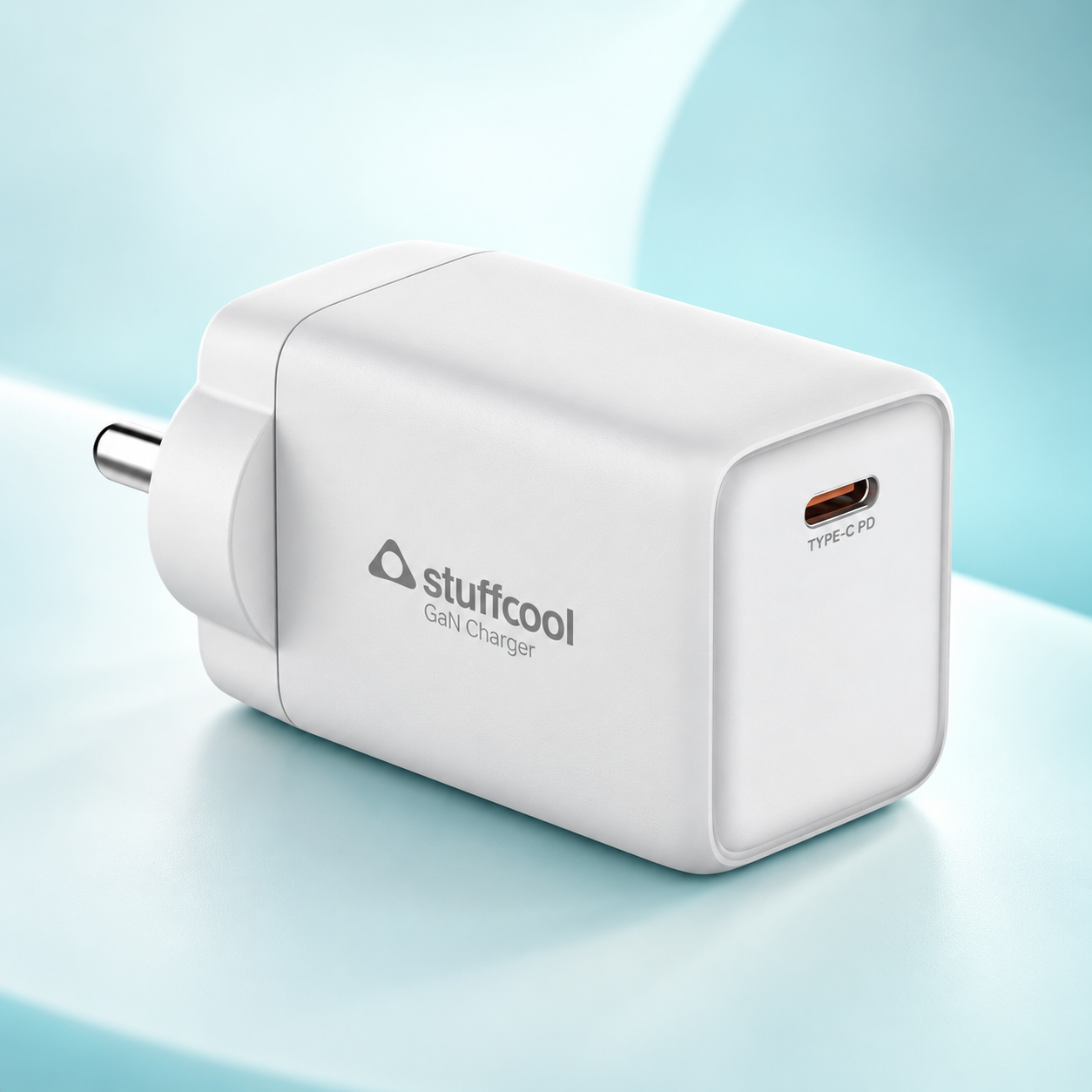
Stuffcool Numen 65C — 65W option
A useful example to compare if you want a compact 65W USB-C charger for phones, tablets and compatible laptops.
Check Stuffcool Numen 65C on Amazon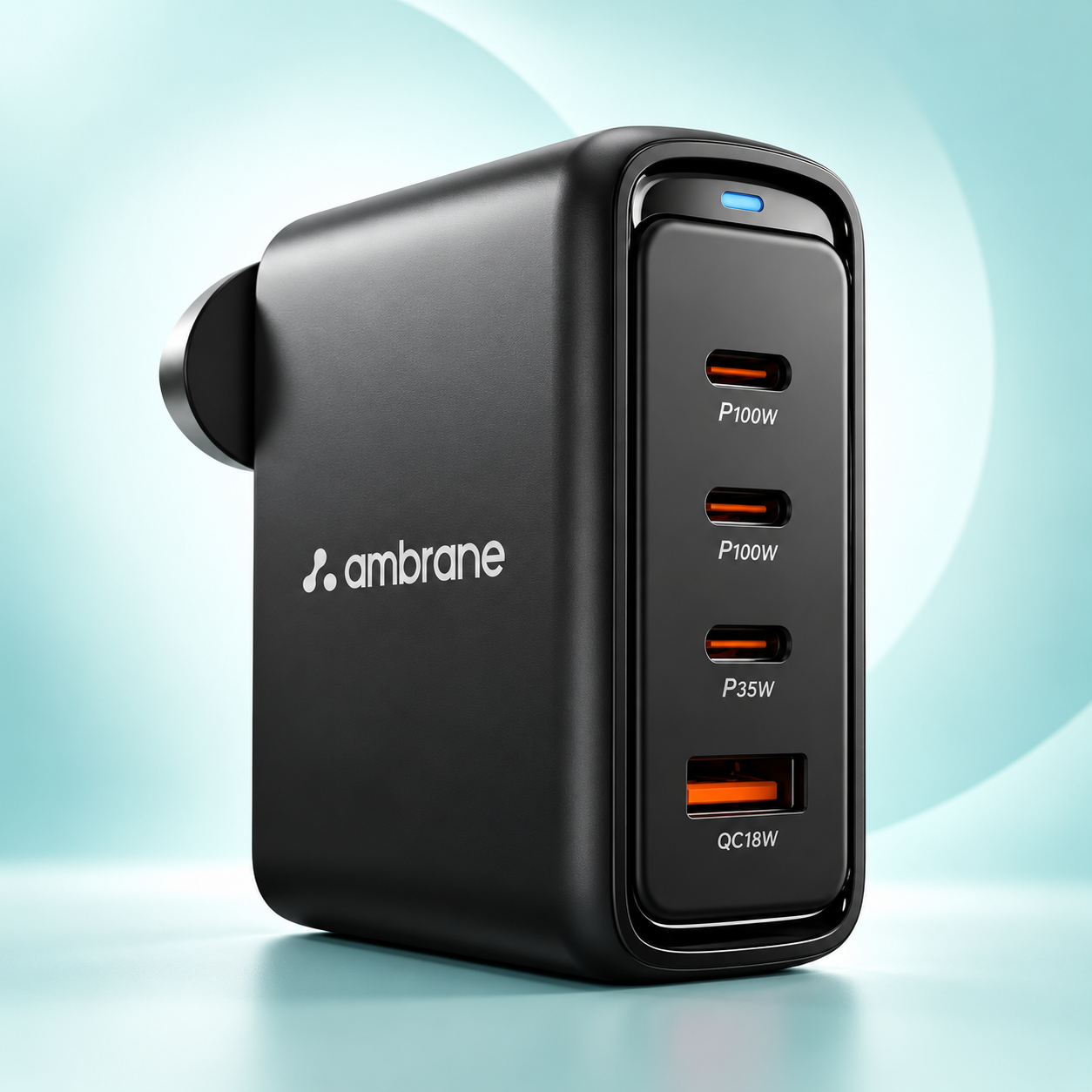
Ambrane Charge 100 — 100W option
A useful example to compare if you want more charging headroom for laptops or a multi-device setup.
Check Ambrane Charge 100 on AmazonFrequently asked questions
Will a 100W charger damage a phone that needs less power?
A compatible charger does not force its maximum wattage into a device. The charger and device negotiate a supported charging level. The result still depends on the protocol, port and cable in use.
Is 65W enough for a USB-C laptop?
It can be enough for many thin-and-light USB-C laptops, but check that the laptop accepts USB-C charging and compare its recommended adapter rating with the power available from the specific charger port. A laptop designed for more power may charge slowly or lose battery under heavy load.
Do I need a 5A cable for a 100W charger?
A USB-C cable rated for the required current and power is needed to reach higher USB-C power levels. A 5A USB-C cable with the appropriate electronic marking is commonly used for up to 100W USB-C Power Delivery, while a 3A cable may limit the available power. Check the cable and device documentation.
Can a multi-port 100W charger give 100W to every port?
Usually not. A multi-port charger's rating may describe its total available output or a maximum available from one port. When several devices are connected, the charger can divide power between ports. Check the exact model's port-combination table.
Does a higher-watt charger always charge faster?
No. Charging speed depends on the device's accepted power, the shared protocol, the selected port, the cable and the battery's charging behaviour. A higher-rated charger provides headroom only when the complete setup can use it.
Is PPS important when choosing a charger?
PPS can be useful for devices that explicitly support it because it allows compatible equipment to negotiate voltage and current in smaller steps. It is not a universal requirement; choose according to the fast-charging standard documented for your device.
Browse technology guides · Browse all buying guides · Everyday Helper home